import streamlit as st

if st.button("String denoting what appears on the button"):
st.switch_page("page_to_switch_to.py")35 Custom Page Navigation Buttons
The st.switch_page() function allows for additional custom navigation within an app.
This can be useful to help guide users through a particular journey, directing their actions more than if you just let them use the sidebar.
st.switch_page is generally paired with st.button using the following syntax:
35.0.1 Example App Using st.switch_page
Here is an example app.
Click here to load the app in a new page
In this app, we have a folder structure like so:
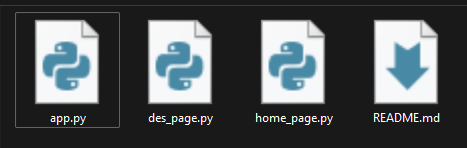
We then set up each page as follows:
35.0.2 app.py
This is unchanged from our original multipage app
import streamlit as st

pg = st.navigation([
        st.Page("home_page.py", title="Welcome!", icon=":material/add_circle:"),
        st.Page("des_page.py", title="Run Simulation", icon=":material/laptop:")
     ])

pg.run()
35.0.3 home_page.py
import streamlit as st

st.title("Clinic Simulation App")

st.write("Welcome to the clinic simulation app!")

if st.button("Click here to head to the simulation page"):
    st.switch_page("des_page.py")
35.0.4 des_page.py
import streamlit as st
import simpy
import random
import pandas as pd

st.title("Simple One-Step DES")

if st.button("Click here to return to the homepage"):
    st.switch_page("home_page.py")

patient_iat_slider = st.slider("What is the average length of time between patients arriving?",
                               min_value=1, max_value=30, value=5)

# Remaining code here...